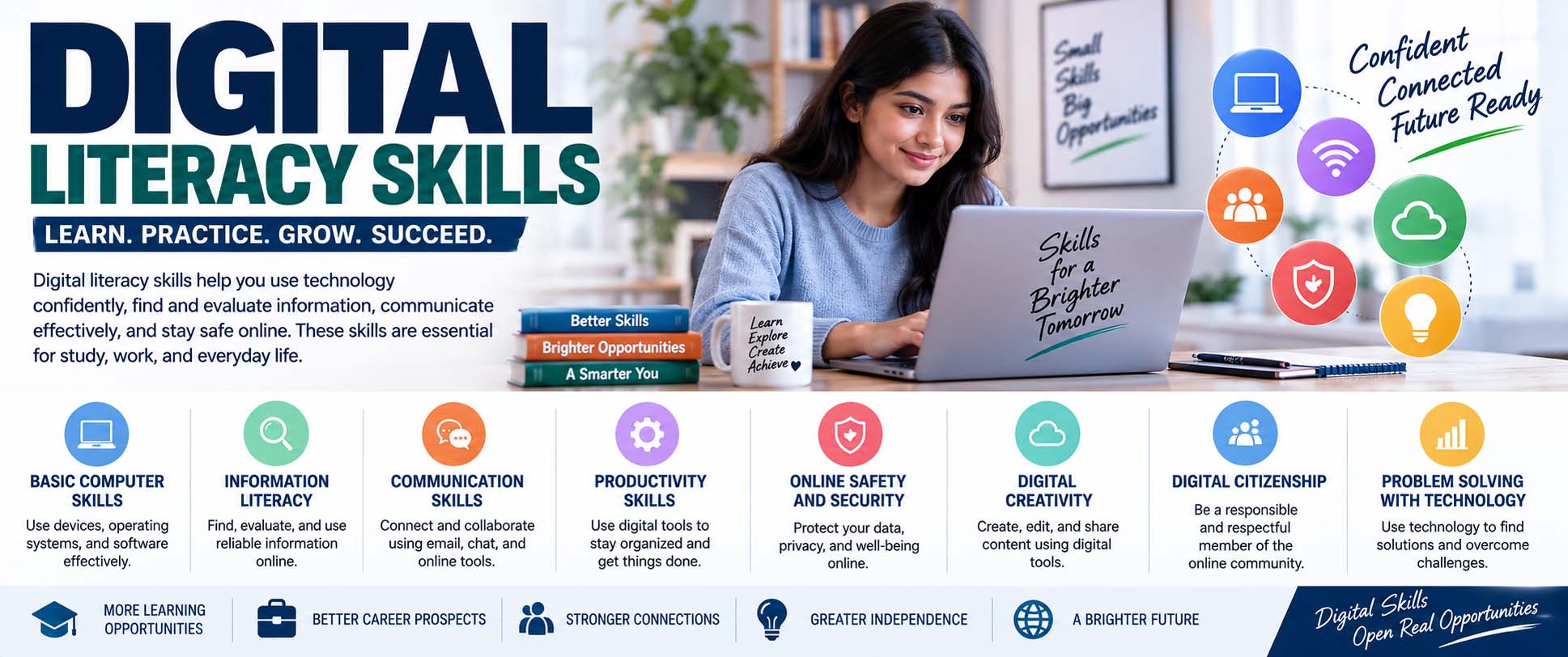
Students use technology for far more than typing assignments or searching Google. They communicate with teachers, research topics, create presentations, collaborate online, and evaluate information from countless digital sources. Because of this, digital literacy skills have become essential for learning, work, and everyday life. These skills help people use technology effectively while also thinking carefully about the information they find, create, and share.
Digital literacy does not mean knowing every new app or device. Instead, it involves understanding how to choose and use digital tools, judge online information, communicate responsibly, protect personal information, and solve basic technology problems. As technology changes, these broader abilities remain useful.
What Are Digital Literacy Skills?
If you are wondering what are digital literacy skills, think of them as a combination of technical ability, information skills, communication, critical thinking, and responsible online behavior.
For example, a digitally literate student can search for information online, identify useful sources, organize files, communicate through digital platforms, and create content using appropriate tools. At the same time, the student understands that information appearing online is not automatically accurate.
Digital literacy is broader than simply knowing how to operate a computer. Students learning what is computer literacy may focus on basic computer operation, software, files, and common applications. Digital literacy builds on those abilities by including information evaluation, online communication, content creation, privacy, security, and responsible participation.
As a result, someone can be comfortable using a smartphone while still needing stronger digital literacy.
Why Digital Literacy Matters in Education
A teacher might post an assignment through a learning platform, ask students to research a subject online, and then require them to submit a presentation or document electronically.
Therefore, students need more than basic device knowledge.
Strong digital skills can help learners find information efficiently, organize schoolwork, collaborate with classmates, and select appropriate tools for different assignments. They can also help students recognize misleading content instead of accepting the first search result they encounter.
Digital literacy becomes even more valuable as students progress through school. Research assignments become more complex, sources require closer evaluation, and independent learning becomes a larger part of academic life.
Core Digital Literacy Skills Students Should Develop
Digital literacy includes several connected abilities rather than one single skill. Although specific technologies may change, the following areas provide a useful foundation.
Finding Information Efficiently
Searching well is a skill.
A broad or unclear search may return thousands of irrelevant results. In contrast, choosing precise search terms can quickly narrow the information to useful sources.
Students should learn how to identify the main concepts in a question and turn those concepts into effective search terms. They can then refine the search when the initial results are too broad.
For instance, instead of searching “pollution,” a student researching an assignment could search for “effects of plastic pollution on marine ecosystems.” That query gives the search engine much clearer context.
Evaluating Online Information
Finding information is only the first step. Next, students need to decide whether the information deserves their trust.
They can ask:
- Who created the information?
- What evidence supports the claims?
- When was it published or updated?
- Why was it created?
- Does the author have relevant expertise?
- Do reliable independent sources support the claim?
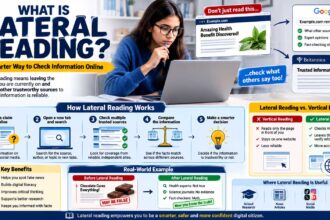
One particularly useful technique is learning what is lateral reading, which involves leaving a webpage and checking other sources to investigate the author, organization, claim, or website rather than judging credibility from the page alone.
Creating Digital Content
Students increasingly create rather than simply consume digital information.
They may write documents, design slides, edit videos, build charts, record audio, or create digital portfolios. Therefore, digital content creation involves choosing the right tool and presenting information clearly.
A slideshow, for example, should not simply reproduce an essay on separate slides. Instead, students should organize key points, use readable visuals, and explain supporting details during the presentation.
They should also understand basic copyright and attribution practices when using material created by other people.
Digital Literacy Skills Examples in Everyday Learning
Practical digital literacy skills examples are easy to find in ordinary school activities.
Consider a student preparing a history presentation. First, the student searches for background information. Then, they compare several sources and identify reliable evidence. Afterward, they save useful material in organized folders, record source details, create presentation slides, and share the finished file with a teacher.
That one assignment requires searching, evaluating, organizing, creating, communicating, and managing information.
Another example is online group work. Students may collaborate on a shared document while communicating through a school platform. In this case, they need to edit responsibly, respect other contributors, follow communication rules, and keep track of changes.
Even choosing appropriate evidence is part of digital literacy. When academic work requires stronger sources, understanding what is a scholarly source can help students distinguish academic research from general websites, personal opinions, and other forms of online content.
Critical Thinking Is Part of Digital Literacy
Technology can provide information quickly, but speed does not guarantee quality.
Students regularly encounter opinions, advertisements, edited images, sponsored content, outdated information, and claims presented without evidence. Therefore, critical thinking helps them decide what deserves attention and what requires verification.
students can ask, “What evidence supports this information?”
Regular Critical Thinking Exercises can strengthen this habit by teaching learners to compare evidence, recognize assumptions, identify weak arguments, and explain why one source may be stronger than another.
These abilities become especially valuable when students encounter conflicting information. Rather than automatically choosing the source that agrees with their existing beliefs, they can examine the evidence behind each claim.
Digital Literacy Skills for Students: Communication and Collaboration
Strong digital literacy skills for students also include knowing how to communicate appropriately through technology.
Digital communication can happen through email, discussion boards, learning platforms, video meetings, shared documents, and messaging systems. However, the appropriate communication style depends on the situation.
A quick message to a classmate may be informal. In contrast, an email to a teacher usually benefits from a clear subject, polite greeting, concise explanation, and appropriate closing.
Students should also learn how to collaborate in shared digital spaces. For example, they should avoid deleting another person’s work without discussion and use comments or revision features when appropriate.
Good digital communication is not simply about knowing where to click. Instead, it requires awareness of audience, purpose, tone, and context.
Understanding Devices and Software
Students do not need to become computer technicians to be digitally literate. Still, basic technology knowledge makes everyday learning much easier.
They should understand common tasks such as creating folders, naming files clearly, downloading and uploading documents, managing browser tabs, installing approved updates, and recognizing common file formats.
Knowing the difference between hardware and software also provides a useful foundation for understanding why a technology problem may come from the physical device, operating system, application, or network connection.
Basic troubleshooting matters as well. Before assuming something is broken, students can check the internet connection, restart an application, verify login details, check available storage, or restart the device.
These simple steps solve many everyday problems.
Online Privacy, Security, and Digital Responsibility
Digital literacy also means understanding that online actions can have consequences.
Students should learn to create strong, unique passwords and use multi-factor authentication when available. Likewise, they should recognize suspicious links, unexpected attachments, fake login pages, and requests for sensitive information.
Privacy deserves attention too. Before sharing personal information, students should consider who can see it and why the platform needs it.
Digital responsibility goes beyond security. Respectful online behavior matters because a screen does not remove the effect that words can have on other people.
Students should also understand that online posts can sometimes remain accessible long after they are published. Therefore, thinking before posting is a practical digital habit.
How to Improve Digital Literacy Skills
Digital literacy improves through practice rather than memorizing definitions.
Start With Everyday Tasks
First, become comfortable with common tools used for school or work. Practice organizing files, creating documents, sharing them correctly, and using basic spreadsheet or presentation features.
Once those tasks feel natural, move toward more advanced skills.
Compare Sources Instead of Trusting One
Next, choose a topic and compare how several websites explain it.
Check the author, publication date, evidence, references, and purpose of each source. Then, ask why the sources agree or disagree.
This exercise develops information judgment while also improving research ability.
Create Something
Producing digital content is another effective way to learn.
For example, turn class notes into a presentation, infographic, spreadsheet, short video, or digital study guide. During the process, you will practice selecting tools, organizing information, solving problems, and communicating ideas.
Review Your Digital Habits
Finally, examine how you use technology.
Do you reuse passwords? Do you check sources before sharing information? Are your school files organized? Do notifications constantly interrupt your studying?
Small improvements in these habits can strengthen digital literacy over time.
Common Digital Literacy Mistakes
One common mistake is assuming that being good at social media means being digitally literate. Social platforms develop certain technology skills, yet they do not automatically teach research, security, file management, or source evaluation.
Another mistake is trusting the first search result. Search ranking and reliability are not the same thing, so important claims still need evaluation.
Students may also copy online information without recording where it came from. Instead, keeping track of sources during research makes citation easier later.
Likewise, some learners use one tool for every task. However, a spreadsheet may be better for analyzing numbers, while presentation software may work better for explaining findings to a class.
Frequently Asked Questions About Digital Literacy Skills
What Is Digital Literacy Skills in Simple Terms?
The phrase what is digital literacy skills generally refers to the abilities needed to use digital technology effectively, safely, responsibly, and thoughtfully. This includes finding and evaluating information, creating content, communicating online, protecting personal information, and solving basic technology problems.
Are Digital Literacy and Computer Literacy the Same?
Not exactly. Computer literacy generally focuses more closely on operating computers and software. Digital literacy is broader because it also covers online research, information evaluation, communication, digital content, privacy, security, and responsible technology use.
Why Do Students Need Digital Literacy?
Students use digital tools for research, assignments, communication, collaboration, and independent learning. Therefore, digital literacy helps them use those tools effectively while making better judgments about the information they encounter.
Can Digital Literacy Be Learned Without Advanced Technology Skills?
Yes. Students can begin with simple activities such as improving online searches, organizing files, comparing sources, creating secure passwords, and practicing professional email communication. More advanced abilities can develop gradually.
Build the Skills Through Regular Practice
Digital tools will continue to change, so memorizing how one particular app works is not enough. Instead, students benefit from developing adaptable digital literacy skills that help them research, evaluate, communicate, create, and solve problems across different technologies.
Start with one area that needs improvement. For example, practice evaluating online sources this week, organize digital school files next week, and then learn a new content-creation tool.
Over time, these small learning habits build a stronger foundation for school, higher education, future careers, and everyday decision-making.